Another year, another wave of “next-big-thing” WordPress design trends. Some of it’s worth the hype. Most of it? Not so much. Since we’re building sites all year, we can keep an eye on what actually moves the needle for our clients versus what just sounds like glitzy social media buzz.
These trends we’re watching aren’t all new. But they’ve matured past the usual growing pains you get with first-generation technology. Here are the ideas we’re seeing pay off the most.
1. Mobile Performance Still King
- Largest Contentful Paint (LCP) under 2.5 seconds
- First Input Delay (FID) under 100 milliseconds
- Cumulative Layout Shift (CLS) under 0.1
2. Page Builders Simplify Site Updates
We’ve been doing this for years with page builders. We build using Elementor and Beaver Builder because they offer user-friendly visual editing that is easy to control in the backend of your site. And there are built-in ways to maintain full design consistency on the frontend, even when multiple people are adding content or making edits on your team.
Both page builders integrate with WordPress core and support what we call the building block approach. Our designers pre-style sections that you can mix and match while keeping everything consistent and professional in terms of how it looks.
3. Speed Is Non-Negotiable
Page speed used to be a “nice to have.” In 2026 and beyond, much like mobile-friendliness, it’s a direct (and probably increasingly important) ranking factor in Core Web Vitals. Here’s what to focus on for snappier sites:
- Remove unused CSS and JavaScript
- Add server-side caching and CDN delivery
- Minimize third-party scripts and tracking pixels
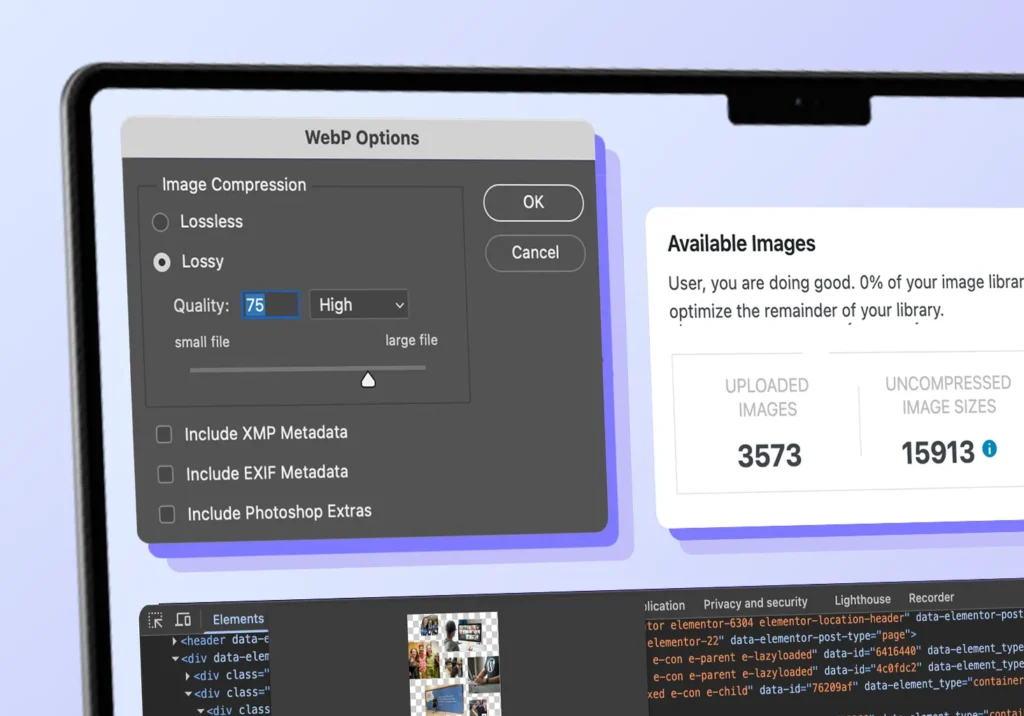
- Compress images and use formats like AVIF or WebP
- Use system fonts when custom typography adds no value
- Use as few third party plugins as possible
Nobody wants to wait for heavy animations or oversized video backgrounds to load on your homepage (more on that later). Like mobile-friendly sites, lean, optimized sites perform better in search rankings and keep visitors engaged instead of heading for the exits.
The quality of your website hosting server makes a difference, too. We directly manage cloud-based servers on DigitalOcean for hosting client infrastructure because it offers the perfect mix of performance and reliable uptime we need for client builds.
4. AI Tools Work for Specific Tasks
AI is slowly becoming more involved in building WordPress websites, but it has a specific lane as well as a few limitations. It’s useful for things like drafting content variations, SEO analysis, and site performance review. Other tools let you generate AI images or help us write custom plugins much more efficiently.
What about AI tools within the website itself? WordPress recently released agent-based AI designed to speed up development workflows, but this is limited to local/sandbox environments for developers to work on custom code, not for the average WordPress user. Elementor has introduced their AI-based site builder for an additional fee, though this hasn’t proven as helpful as we hoped in our testing so far. We will definitely be watching to see how things grow and improve in the coming months.
Learning to use these AI tools takes practice. The key is knowing where they help, where human judgment wins, and how to carefully review everything AI tools complete. Our team treats AI like a junior contributor. The tools can handle simpler, repetitive tasks so us humans can focus on strategy, creativity, and critical thinking.
5. Headless WordPress for Enterprise Scale
Headless WordPress is like separating your site’s brain from the face. WordPress still manages content in the backend (a major strength) so it’s just as easy to use. The frontend lives somewhere else, built with a lightning fast, custom frontend that pulls content via API integrations. You keep the same workflow for site edits, but the front end is built with custom code in Next.js or something similar.
This setup makes sense for complex sites that need serious performance or have content flowing to multiple platforms. The upside is speed and flexibility. The downside is cost and upkeep. The initial site build is significantly more expensive, and future adjustments to the frontend design elements and layout would require the help of a development team.
The headless setup is becoming a more popular idea and we definitely have more clients asking about it. In reality, a traditional, optimized WordPress site is all that most small to mid-sized companies need.
6. Homepage Design, More Than Ever
People hear about your business in all different places: Instagram, LinkedIn, podcast mentions, Google searches, friend referrals, industry directories. The list goes on. But before they reach out, where do they look? They’re probably checking your homepage to see if you’re legit.
Your homepage is where visitors decide whether to stay or leave based on three questions:
- Do I understand what this business does?
- Do I feel good about them?
- Can I trust them?
As Michael explains in the Know, Like, and Trust framework, your site is often the first real interaction someone has with your brand. A clear headline (Know) helps with approachability (Like). Both build credibility (Trust). It’s certainly not an all-new idea, but it is increasingly important.
7. Accessibility Moves From Checkbox to Foundation
Honorable Mentions: Getting Traction, But Needs Restraint
Not every WordPress trend that gets buzz is ready for your site. Some look great in demos or conference talks but introduce tradeoffs that don’t hold up in day-to-day use (quite yet).
3D graphics and immersive elements
3D models, WebGL effects, and interactive visuals can be fun. Who doesn’t love product views you can rotate or spaces you can explore with your mouse movement? Performance wise, though? Those fun elements bring a lot of added weight that can erase hard-won speed gains. We test them in limited contexts and only use them to serve a clear purpose.
Microinteractions and dynamic effects
Subtle motion keeps getting better. It could be a button that reacts on hover or a form that clearly signals an error. Used well, microinteractions guide users and reduce friction. Used too much, they become noise. Our rule is simple: if an interaction doesn’t clarify or assist, it doesn’t belong.
Dark mode and custom color schemes
Dark mode can improve eye comfort for some users, but it adds pretty heavy dev work behind the scenes. Supporting multiple color schemes means maintaining contrast, readability, and accessibility everywhere. We’re testing these carefully before recommending them more widely.
Flash Wears Off. Function Sticks Around.
Not every WordPress trend deserves a place on your site. We focus on what’s proven and actually works, like when the GaDOE Culinary Hub needed fast, reliable access on tablets in school kitchens. Meeting that practical need shaped the entire build, as it does in all our work.
Whether you’re building a new site from scratch or improving an existing one, start with what serves your users first. Let’s talk about your website goals.
Frequently Asked Questions
Do I need to implement all these trends on my site?
Focus on trends that solve actual problems for your organization. A small business site needs different solutions than an enterprise platform. We help clients figure out which approaches actually serve their goals rather than just looking current.
How much does it cost to make my site headless?
Headless WordPress typically costs 2-3x more than traditional WordPress. Initially, this is because of much higher custom frontend development time needed. Ongoing maintenance also runs higher because updates tend to require more developer hours than standard WordPress maintenance. For most organizations, a traditional WordPress website with good optimization will work well. Headless makes sense for enterprise scale, complex integrations, or when you need maximum performance.
Can I add Full Site Editing to my existing WordPress site?
Full Site Editing requires a front-end page builder with theme editing tools (i.e. Beaver Builder, Elementor). If your current site uses a traditional theme you’d need to make a change to a new theme that supports one of the page builders. This can range from straightforward to complex depending on your setup. Sometimes rebuilding makes more sense than converting.
How do I know if my site is accessible?
What's the quickest win for improving site speed?
Should my organization use AI tools for content?
AI tools work well for drafting variations, generating meta descriptions, or creating alt text. They don’t replace human judgment about brand voice, audience understanding, or strategic decisions. Use AI to speed up repetitive tasks while keeping humans in charge of quality and strategy.
How often should I test my site's Core Web Vitals?
Monthly checks catch issues before they impact rankings. Run full tests quarterly or whenever you make significant changes. Set up monitoring so you get alerts if scores drop suddenly. This prevents performance problems from going unnoticed until they’re costing you traffic.