When you get into the nuts and bolts of a fast website, you see a few things over and over. You might have already cleaned up slow plugins, bloated code, and server-side clutter, but if your visitors are waiting for heavy assets to load from a server halfway across the world, your site is still going to feel sluggish. A Content Delivery Network, or CDN, fixes that problem for you.
But what is a CDN, and how is it any different from just offloading your media files somewhere outside your web server? People mix up these options all the time, so let’s sort that out.
What Is a CDN and How Does It Work?
A CDN is a network of distributed servers all around the world that team up to deliver your site’s content from wherever is closest to the visitor.
Think of your website’s main hosting server as a single, highly efficient bakery located in Atlanta. If someone in Atlanta wants a pastry, they get it hot and fresh without any wait. But if someone in Tokyo orders that same pastry, it takes a long time to arrive.
A CDN is like a global franchise for your website. It takes copies of static assets (your images, stylesheets, JavaScript files, and videos) and stores them on “edge servers” located in cities all over the world. The word “edge” just means servers positioned close to where your actual users are trying to access your site.
Speeding Up Through Geography
When a visitor in Tokyo hits your site, the CDN serves those files from the Tokyo edge server. Instead of waiting on your origin server in Atlanta, the physical distance the data has to travel shrinks by about 7,000 miles after users hit send. Most importantly, your site should load much faster.
Before we get too far ahead, I should mention CDNs work best with static content where the files look the same for every visitor. These would be things like images, fonts, and scripts. Dynamic content like a shopping cart or a logged-in dashboard has to come from your origin server every time because it changes for every site visitor.
That’s also why a CDN alone won’t get you all the way there if other things upstream are still dragging down your site. I’ll cover what to look out for as we go, but our free website audit is one way to check in on that in pretty efficiently.
The Difference Between “Offloading” and a CDN
In web development circles, especially with a content management system like WordPress, you will often hear the term “offloading.” People confuse it with using a CDN, but they are fundamentally different and solve different problems. I’m guilty here myself and used to toss around CDN and offloading as if they were interchangeable, but they are not.
Offloading in this sense just means moving your media files away from your primary web server. You store them somewhere else, like an Amazon S3 bucket or Google Cloud Storage, to save space. On a WordPress site that has been running for years, the local uploads folder can quietly balloon to dozens of gigabytes. The added weight squeezes your site in a few ways:
- Some hosting plans cap disk space, and you can hit that ceiling fast
- Backups get too large to run properly (and sometimes fail mid-process)
- Restoring from a backup when something goes wrong turns into a multi-hour project
- Migrations to a new host become slower and riskier than they need to be
Offloading solves the storage and backup problem by keeping your origin server lean. But your global audience still waits longer for those files. If your S3 bucket is sitting in a Virginia data center, a visitor in Tokyo or London is still pulling those files all the way from Virginia.
How Offloading and a CDN Team Up
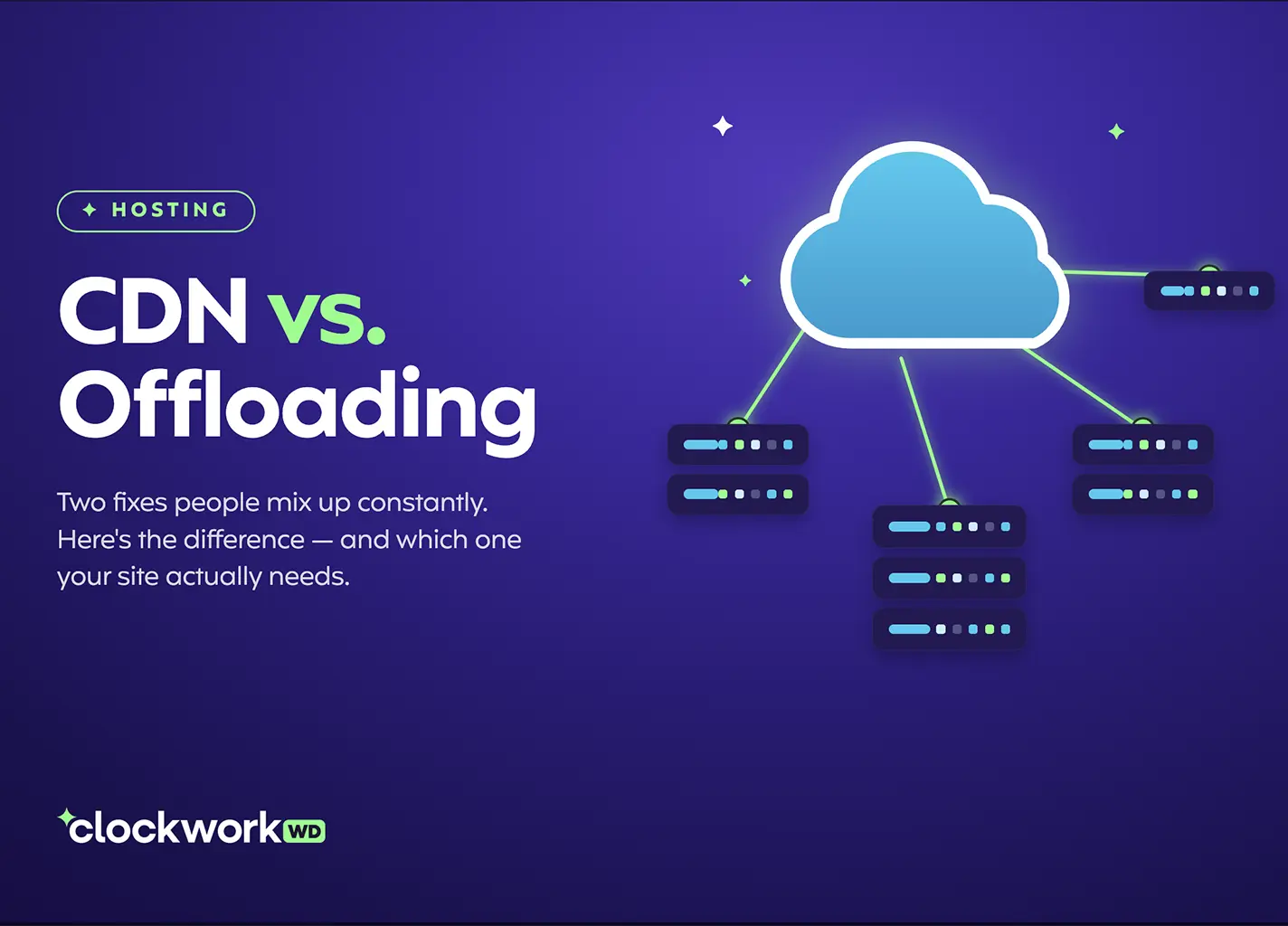
You don’t need to choose one approach over the other. You can start by offloading your heavy media to a dedicated storage bucket to keep your site hosting server clean. Then you put a CDN in front of the storage bucket to deliver the files quickly to users anywhere in the world.
The thing to remember is the CDN doesn’t care where your files actually live. The network of servers cache them at the edge and serve them from the closest server to the visitor, so our Tokyo visitor gets their files from Tokyo instead of waiting on Atlanta.
The fastest sites tend to use both. The storage problem and the delivery problem are separate problems, and they have separate solutions. Treating them as the same thing is usually what leads to a site that has topshelf hosting but still loads slowly for people outside your region.
A CDN Won’t Fix Upstream Issues
Those edge servers can only work with the information they get. That’s the upstream problem I mentioned earlier, and it’s worth a deeper look.
Images are a prime example. A CDN will deliver an image quickly, but if that image is a massive 8MB file, it is still going to drain bandwidth and slow down the browser because the file size is just too large. The CDN is not compressing or optimizing anything on your behalf. It is just moving what you give it closer to the user. We wrote about how to size and compress images for a faster, better website, and that work has to happen before those files ever hit your CDN.
Plugin overload, render-blocking scripts, and a sluggish database are not CDN problems. A CDN is the delivery layer. It won’t cover up these other issues that also affect speed. But with the right setup, a CDN helps with site performance and doubles as a serious security layer.
CDNs as a Security Layer
A CDN can do more than move files around. By routing all traffic through its network first, it sits between the public internet and your origin server before any request gets through.
Malicious bots and distributed denial-of-service (DDoS) attacks go straight for the origin server when there is nothing in the way. A CDN absorbs or blocks a large percentage of that traffic at the edge, before it reaches your hosting environment. For high-traffic sites this buffer is a must. It is a real line of defense, and Cloudflare is one of the better tools for handling it at that layer.
That said, a CDN handles network-level threats. It does not cover everything. Outdated plugins, weak passwords, and poor hosting setups are where most WordPress sites actually get compromised, and no amount of edge caching helps with any of that. The WordPress security practices worth paying attention to are a different conversation, but an important one.
Add a CDN To Your Website
Whether you are running a traditional WordPress site or something more custom, the relationship between where your files live and how they get delivered has a real impact on how your site performs and how well it holds up under pressure. Getting both working together is not complicated, but it is easy to skip when you are focused on everything else that comes with running a business.
If you want a starting point, our free website audit takes a few minutes and gives you a clear picture of where things stand. If you want to dig deeper into your setup from there, let’s talk.
Frequently Asked Questions
Does Cloudflare count as a CDN?
Yes, Cloudflare functions as a CDN as well as offering other services. It distributes your static assets across its global network of edge servers the same way a dedicated CDN does, but it also layers in DNS management, DDoS protection, and a web application firewall on top of that. Most sites using Cloudflare are getting CDN benefits whether they realize it or not.
Will a CDN improve my SEO?
Do I need a CDN if my audience is mostly local?
Does Clockwork include a CDN with hosting?
What is the difference between a CDN and just switching to faster hosting?
Better hosting improves how quickly your origin server responds to requests. A CDN reduces how far those requests have to travel in the first place. Both matter, and they solve different parts of the performance equation. A fast origin server with no CDN still makes visitors in distant regions wait. A CDN in front of a slow or underpowered server helps with delivery but does not fix slow server response times. The two work best together.