First and foremost, I write this with an extremely saddened heart. I know it is just hosting that I’m talking about, but WP Engine used to be stellar. In fact, moving from VPS.net to WP Engine in 2015 was one of the best decisions I made when I was helping run Sideways8 Interactive. It saved me time with everything from the staging environments to the great support. What went wrong?
It has been years since I lost faith, but I didn’t want to just blast WP Engine because I was disappointed. I’m not a rage quitter. I’ve taken enough time, and I think it’s ok for me to share why I’ve moved more than half of my sites away over the years. Since founding Clockwork in 2019, we’ve built our own hosting infrastructure specifically to avoid these issues.
What Makes a Bad Hosting Experience?
Over the years, three problems turned what I once considered excellent service into something I couldn’t recommend anymore:
- Site performance started degrading. Load times that used to be consistently fast became unpredictable and unreliable. Sites would slow down without explanation, and diagnosing the root cause became a guessing game.
- The upselling got more aggressive. Features that should have been standard were pushed as premium add-ons. If any issues arose with sites being slow or getting too much traffic, company reps would immediately try to upsell us and our clients with larger servers instead of troubleshooting issues first.
- Support quality declined sharply. I started questioning whether the people answering tickets actually understood the infrastructure they were managing. That concern came to a head during one support interaction I still can’t quite believe happened…
My Experience with WP Engine Hosting
I ran into a site issue and opened a support ticket. The response I got made it clear the knowledge gaps weren’t occasional mistakes. They were systemic problems with how support staff were trained. Read this actual chat log:
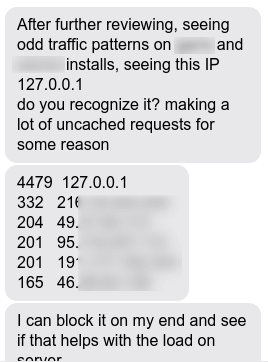
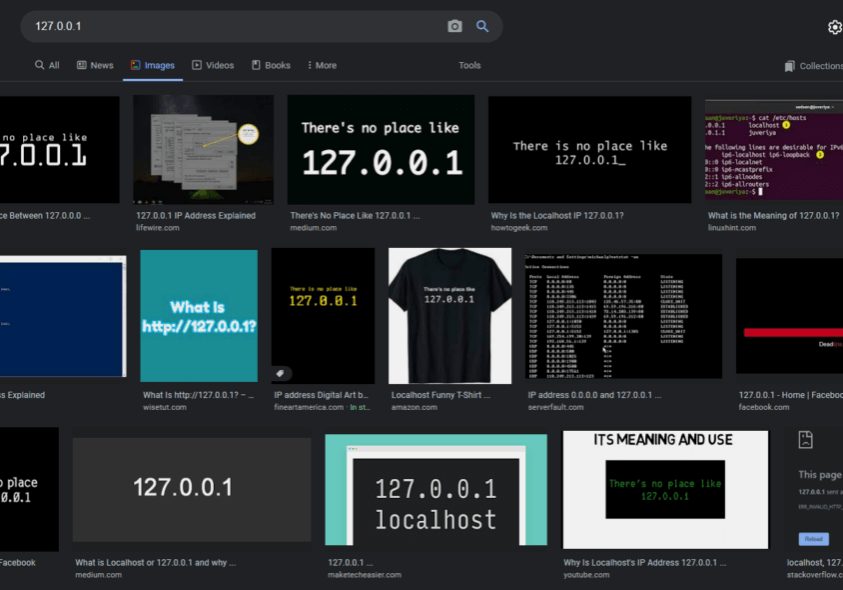
What does 127.0.0.1 mean?
If you don’t understand the significance of this, I’ll do my best to explain it. 127.0.0.1 is something you learn very quickly the first time you set up a server or any networking device. 127.0.0.1 is known as “home” or the active server you are working on. So, if I log into a server, and I want to test anything, I can try to access the server I’m on by going to either localhost or 127.0.0.1.
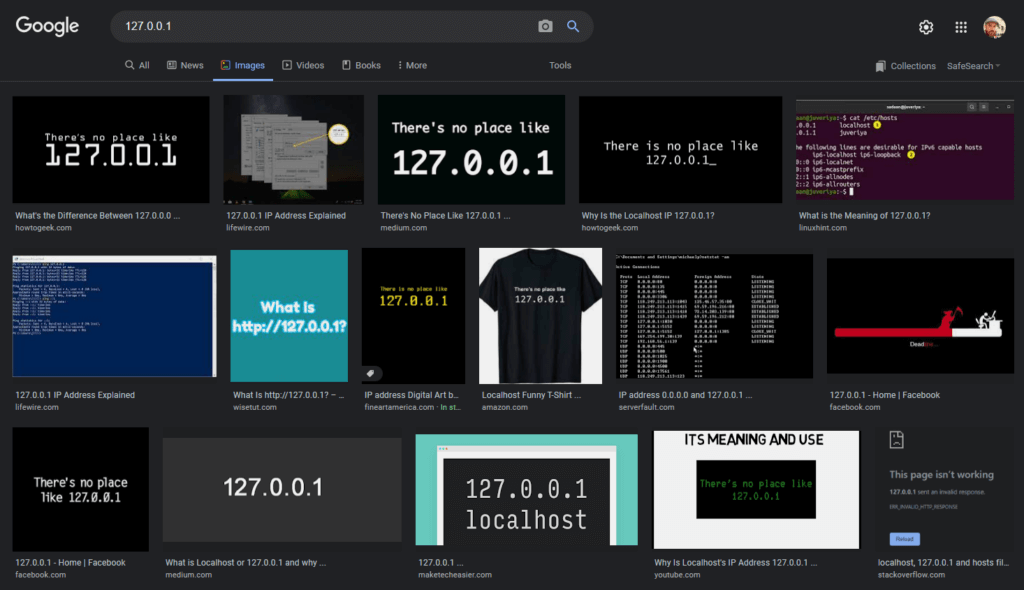
If you’re on a Mac, Windows, Linux, OpenBSD, whatever, you always know that 127.0.0.1 is the box you’re on. It’s basically networking 101. A lot of services will and can access the server it is on by reaching out to the well known 127.0.0.1.
The fact that WP Engine support asked me if I recognized it, and then offered to block all traffic from it, is beyond shocking. Taking that action would have immediately taken the entire server down, and all of my client sites along with it. Hopefully there are procedures at WP Engine that would prevent their own support staff from such a move, but to be honest, it may not have even crossed their mind that someone would try it because it is such a basic, well-known principle.
When Knowledge Gaps Turn Into Business Risks
The scarier part of this is the other end of the spectrum. I just happen to have a background in networking, but what if I didn’t? What if I told support that I don’t recognize the IP address and somehow, they were able to block my own server’s services? We’d be in a bad situation.
At this point, I just try not to use their support. The sites that are on there are working, and if it ever gets slow, I just move them over to our servers on DigitalOcean.
Just for the record, I’m not saying that everyone should jump ship. The question is, where will you go? There isn’t anything much better out there in the managed WordPress hosting space. I just happen to know how to set up a server, and have a team that can help me if things go above my head. Most agencies don’t have that skillset available so they are stuck.
ClockworkWD’s Website Hosting
That’s exactly why we built Clockwork’s hosting infrastructure the way we did. We wanted hosting that performs like a custom-configured server but with the support and maintenance that business owners actually need. Our team handles server management, security monitoring, daily backups, and all the technical details so you don’t need a networking background to get enterprise-grade performance.
And if you’re currently dealing with hosting frustrations and considering a switch, we’ve documented exactly how to migrate your website safely without breaking anything. If you host with us, we handle the migration for you because we know how critical it is to get every detail right, from DNS configuration to email routing to SSL certificates.
Maybe WP Engine support will get better again. I would guess the primary issue is they grew too fast to train everyone properly. But that’s just a guess.
What I do know is that when you’re running a business, you need hosting you can trust. You need support that understands the basics and responds when issues actually matter. That’s what we’ve focused on building at Clockwork.
Answers from Aaron: Frequently asked questions
How do I know if my hosting company is unreliable?
Watch for slow support response times (more than 24 hours for basic questions), frequent unexplained downtime, or support staff who can’t answer technical questions. If your site regularly slows down without clear reasons or you’re constantly being upsold whenever something is off, those are red flags. Our free website audit checks hosting performance alongside other site health factors, so you can see exactly where problems are coming from.
What's the difference between shared hosting, dedicated hosting, and managed WordPress hosting?
Shared hosting means you have space on a server alongside other websites. Shared hosting is often less expensive, with the downside that you might be running the risk of another site’s issues becoming your issues if you are on the same server. Dedicated hosting is more expensive but means you have a server all to yourself. This is ideal for clients with a high amount of traffic or specific configuration needs. Managed hosting refers to who is making the updates to your hosting server. If your hosting isn’t managed, that means you have to handle updates, security, backups, and performance optimization yourself.
Managed WordPress hosting takes care of those tasks at the server level for you. The hosting company handles caching, server updates, security monitoring, and backups so you don’t have to. Our managed hosting plans include all of this plus staging environments and CDN integration.
When should I switch web hosting providers?
Consider switching if you’re experiencing consistent slow load times (over 3 seconds), frequent downtime, or poor support response. Also consider switching if you’re being charged separately for features like SSL certificates or backups that should be included. If your current host can’t explain basic technical concepts or takes days to respond to support tickets, that’s another red flag. If you are receiving emails trying to upsell you to a larger server or other higher priced services without them doing research on your site and any potential issues they can help you troubleshoot, add that to your list of concerns.