Most people searching for affordable WordPress hosting aren’t looking for the cheapest possible option out there. They want something reasonably priced that won’t let them down. This article offers a practical look at what affordable hosting really means, what you genuinely need from a hosting provider, and how to avoid paying too little now and spending far more later.
Types of WordPress Hosting: What You Choose Between
You need to understand what you’re choosing between to make the right hosting choice:
- Shared hosting gives you server space on a server along multiple other websites. Shared hosting may or may not be managed (see below). This type of hosting is less expensive than dedicated hosting but you run the risk of issues with other sites on the server affecting your site.
- Dedicated hosting gives your site its own server and is typically reserved for high-traffic sites with more complex needs. Dedicated hosting may or may not be managed (see below). It’s more expensive than shared hosting but has important benefits that are required for some sites.
- Managed WordPress hosting means the company handles caching, backups, security monitoring, and server updates so you don’t have to manage them yourself. If you don’t have managed hosting, you’re responsible for making sure all of those things happen regularly.
A lot of clients come to us after they realize they have been overpaying for features they don’t need or underpaying and dealing with degraded site performance.
What To Look For in Affordable WordPress Hosting
Shared and Managed WordPress hosting plans offer the right mix of affordability and performance for most businesses. But before you commit to any plan, here are three things worth looking into:
How the Server Is Configured
Server configuration determines site speed. Good managed hosting optimizes the server for WordPress with server-side caching, CDN integration for faster delivery to visitors in different locations, and a staging environment for testing changes safely. These work at the infrastructure level, not through plugins that only patch problems.
Speed matters because Google factors server response time into how much of your site it crawls. Slow hosting means less of your site gets indexed, fewer people find you through search and AI tools, and that translates directly to lost revenue. Before committing to a provider, confirm:
- Make sure the server environment is configured specifically for WordPress
- A CDN is included or available to improve delivery speed for visitors in different regions
- A staging environment is available for safely testing changes on complex or active sites
Security and Backups, Like Clockwork
Good hosting also actively monitors for threats, maintains server-level security systems, and has a team ready to respond when something comes up. Your hosting environment is the foundation, which is why cutting corners in the short term tends to be expensive in the long term. We’ve put together a rundown of WordPress security best practices if you want to go deeper. And Aaron R. has a few horror stories from the hosting trenches worth reading in Why I’ve Lost Faith in Other Hosting Companies.
Your site backups also deserve the same scrutiny as security. Server-level backups stored offsite are more reliable than plugin-based solutions, which are only as dependable as WordPress itself at the moment. When comparing plans, look for:
- Daily automated backups stored offsite rather than on the same server
- At least 30 days of retention, ideally closer to 90
- A clear and efficient backup recovery process
Customer Support That’s Reachable
This is the easiest thing to overlook when comparing pricing pages and the most important thing to get right. The practical question is who handles problems when they come up and how quickly they respond to your communications. A plan with great hosting infrastructure and no real support behind it leaves you managing incidents on your own at the worst possible time.
When talking with possible providers, ask whether a dedicated team handles support or a general ticket queue. And what response times look like outside of business hours. Look for:
- A named support contact or team rather than an anonymous queue
- Emergency response coverage for urgent issues
- Transparent documentation on how to get help when you need it
Want To Test Your Own Hosting?
You don’t need to be a developer to evaluate your hosting. Start with these practical steps:
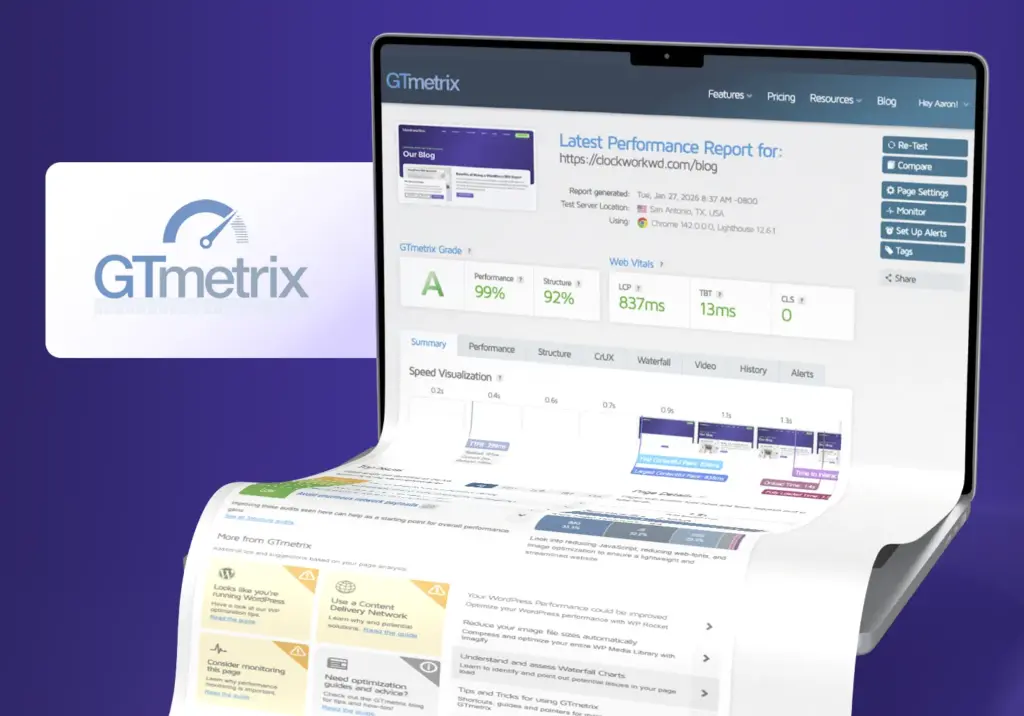
- Run a speed test. Use GTmetrix and run a quick scan. If your site takes more than 3 seconds to load, hosting is likely part of the problem. Pay attention to server response time. If that number is high, no amount of image optimization will fix it.
- Check uptime. Ask your current host for uptime reports. The industry standard is 99.9% uptime, which means less than 9 hours of downtime per year. If your host can’t or won’t provide actual performance data, that tells you something.
- Test support response time. Submit a support ticket with a basic question. If it takes more than 24 hours to get a real answer, that’s a problem waiting to happen.
- Review your backup retention. Find out how long backups are kept and where they’re stored. If your host only keeps 7 days of backups on the same server, you’re not actually protected. You need longer retention and offsite storage.
If you’re not sure whether your current hosting is part of the problem and don’t have time to dig into this yourself, our free website audit is a good place to start.
Clockwork’s Affordable WordPress Hosting Solutions
All of our web hosting plans start with WordPress hosting built on DigitalOcean infrastructure. We use partitioned servers for even better security and performance. What changes between tiers is how much active maintenance and support is included on top of that foundation:
- Magician — $30/month Managed and shared WordPress hosting with 30-day backups, free migrations, and expert support during setup. A solid starting point for sites that need dependable hosting without ongoing maintenance overhead.
- Sorcerer — $169/month Our most popular plan. Includes everything in Magician plus weekly WordPress core, plugin, and theme updates, 90-day backup retention, security scans, CDN setup, speed optimization, and monthly SEO performance reports.
- Wizard — $299/month Everything in Sorcerer, with 30 monthly content update tasks and priority support for sites with more active day-to-day needs.
- Dedicated hosting plans are available for sites that need their own server for higher amounts of traffic, higher file storage capacity, or custom configurations that shared hosting can’t provide. This is priced on a case-by-case basis so we make sure we give you exactly the size server you need – no more, no less.
All plans include up to 2 hours of migration support, and our team is reachable when something needs attention. We’re a real team with decades of experience troubleshooting within WordPress. Our response time and ability to quickly resolve issues is one of the things our customers consistently appreciate about working with us. If you are looking to move hosts yourself, you can also use our guide to moving your WordPress site to a new host where we walk through the full migration process.
Fast WordPress Hosting That Fits Your Budget
Low monthly hosting rates are easy to find. A hosting environment that always performs, takes security seriously, and has timely customer support behind it is a shorter list. The good news is that these things are not mutually exclusive.
Ready to talk through what hosting setup makes sense for your site? Get in touch and we’ll help you figure it out.